Introduction
The digital era left a void when Omegle shut its doors. Suddenly, millions seeking spontaneous, anonymous connections were searching for a new home. Enter Chitchat, a platform boldly claiming to be “the new modern Omegle and OmeTV alternative.” But does it live up to the hype, or is it just another random chat site in a crowded field?
This deep dive explores Chitchat.gg from every angle. We’ll walk through the text and video chats, explain how the freemium pricing actually works, and flag the everyday annoyances the promotion never mentions. If you’re reading chitchat app reviews or hunting for sites like chitchat, the details below will show whether it fits your needs or deserves a pass.
What is Chitchat?
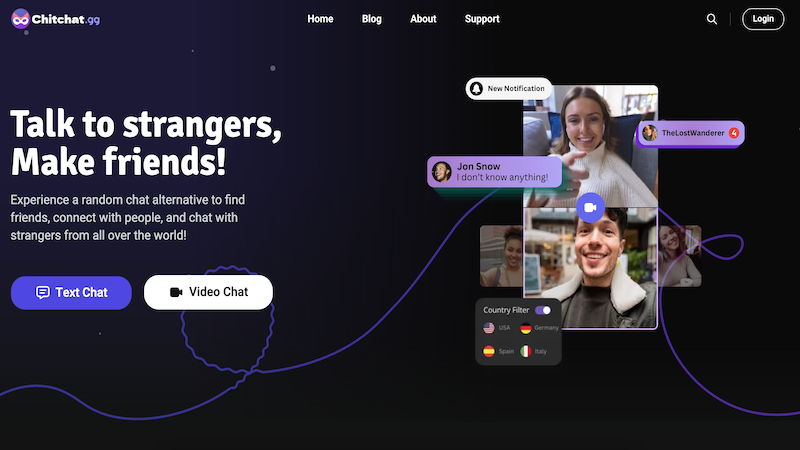
Landing on the Chitchat website, the pitch is clear: “Talk to strangers, Make friends!” Its design is modern and straightforward, inviting you to immediately start a video chat or text chat. The core promise is connecting you with chitchat strangers worldwide based on shared interests.
Before you begin, the platform requires two things: you must select your gender (a permanent, unchangeable choice) and often complete a quick puzzle to prove you’re not a bot. This initial setup hints at Chitchat’s dual nature: designed for instant fun but built with gates to manage safety and spam.
Core Features of Chitchat.gg
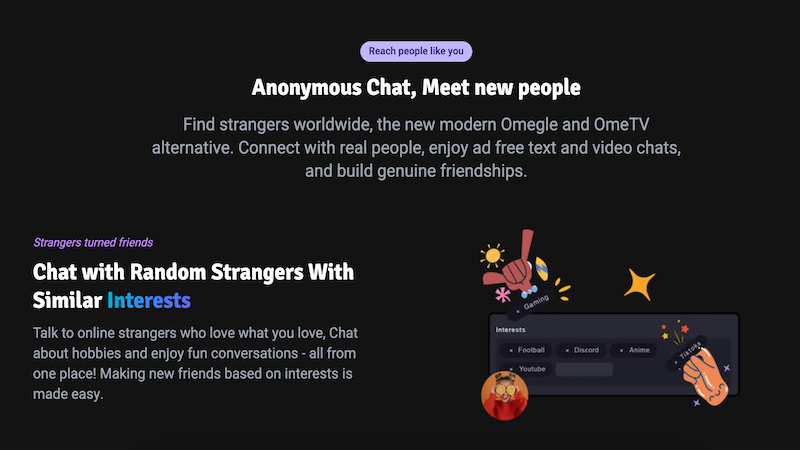
Chitchat operates on a freemium model. Understanding this split is key to managing your expectations.
The Free Tier: Getting Your Foot in the Door
For the casual user, the free version offers the basic premise of talking to strangers:
-
🔄 Dual-Mode Chat: Switch between video call and text chat on the fly.
-
🏷️ Interest Tags: Add interests to your profile for better-matched conversations.
-
⏱️ Match Timer: Control your patience with “Max Wait Duration” settings (5 sec to Forever).
-
🛡️ Basic Safety: AI moderation and user reporting tools are in place.
The Premium Paywall: Unlocking “Better” Connections
Many features that reduce randomness and enhance interaction require a subscription. Here’s a breakdown:
| Free Tier | Basic Plan ($4.99/mo) | Plus Plan ($8.99/mo) |
| Random matching | ✅ Priority Matching | ✅ Plus Priority Matching |
| No gender filter | ✅ Gender Filter | ✅ Priority Gender Filter |
| Text only | ✅ Send Images | ✅ Send Images & Videos |
| Limited interests | +8 Interest Slots | +15 Interest Slots |
| Minimal history | 15 Match History Slots | 25 Match History Slots |
| Standard badge | Basic Badge (Optional) | Plus Badge (Optional) |
The takeaway? The free experience is functional but basic. Meaningful filters and media sharing—key for turning a random chat into a friendship—are premium perks.
The User Experience
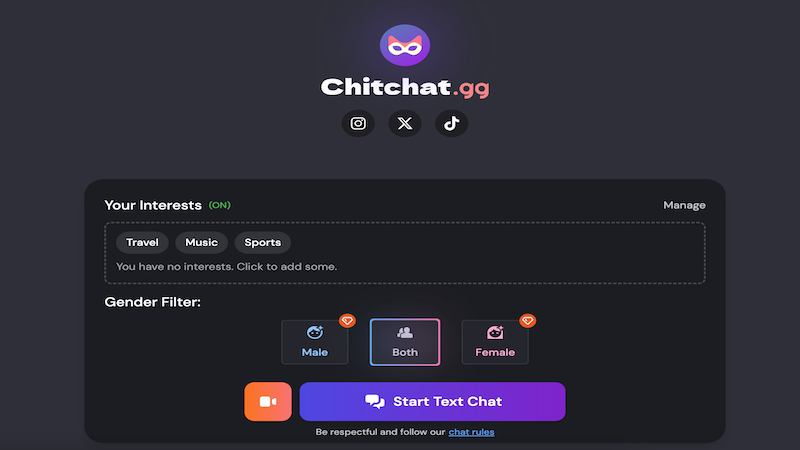
This is where user chitchat reviews become mixed. The platform has strong points but also notable flaws.
✅ The Good:
-
Clean Interface: The Chitchat web and app interfaces are intuitive.
-
Interest-Based Matching: This works well to connect you with people who share your hobbies.
-
Ad-Free Promise: A major plus over many ad-cluttered alternatives.
⚠️ The Not-So-Good:
-
Aggressive Verification: A major pain point. Users often hit a wall with the message: “We detected unusual activity… Please verify with a provider to continue.” This forces you to link a Google/email account, breaking the promise of pure anonymity.
-
Technical Glitches: Reports of the “Start text chat” button sometimes being unresponsive hurt reliability.
-
The Premium Push: The fact that a basic filter like gender is locked behind a paywall feels restrictive and is a common critique among free users.
Is Chitchat Safe?
Safety is a paramount concern on any talk-to-strangers platform.
-
🔐 Proactive Measures: Chitchat uses AI moderation and spam protection and gives users control through features like optional image blurring.
-
❗️ The Privacy Paradox: However, its heavy-handed verification contradicts its anonymous chat branding. To recover chats or add friends, you must “Claim Account” with an email, which links your activity to an identity.
Verdict: Although accessing all of its functions comes with a substantial privacy trade-off, it’s probably safer than totally unmoderated websites.
Pro Tips for Navigating Chitchat
To make the most of the platform, keep these in mind:
-
Have a Google Account Ready: If you want to save chat history or add friends, verification is inevitable.
-
Use Interest Tags Wisely: This is your best free tool for improving match quality. Be specific!
-
Adjust Your Wait Timer: A “Forever” setting might find you a great match, while a 5-second timer is for rapid-fire browsing.
-
Explore Settings: Enable Dark Mode, toggle notification sounds, and decide if you want emoticons auto-converted to emojis.
-
Consider Your Goal: If you want completely anonymous, filter-free chatting, the free tier may frustrate you.
Conclusion
Chitchat successfully builds a modern, interest-based framework for random connections. Its dual chat modes and clean design make it a legitimate Omegle alternative. For premium users willing to pay, it offers a more controlled and feature-rich 1v1 chat experience.
However, its identity is conflicted. The constant push for verification undermines the spontaneous anonymity that defines random chat. Technical hiccups and the aggressive paywalling of basic filters can frustrate free users.
For those seeking the thrill of the unknown, it’s a good chitchat website to try. But if you value seamless anonymity or dislike freemium gates, you might find yourself searching for other chitchat alternatives. The search for the perfect spiritual successor to Omegle continues, and while Chitchat is a strong player, it hasn’t quite ended the game.
Frequently Asked Questions
-
What is Chitchat?
Chitchat is a modern platform for random video and text chat with strangers worldwide. It uses interest tags and filters to help you make connections, positioning itself as an alternative to older sites like Omegle.
-
Is Chitchat safe to use?
It employs AI safety tools and reporting features. However, its frequent requirement to verify your identity with Google to continue chatting is a significant privacy consideration for users seeking true anonymity.
-
Why is Chitchat not working for me?
A sudden stop usually means the system has flagged your traffic as “unusual.” Finish the on-screen step that asks you to add and confirm an email—once verified, the chat line reopens.
-
How can I get unbanned from Chitchat.gg?
Open a ticket through the built-in report button or visit their official Discord server, outline your case, and wait for a moderator reply; at present, this is the only appeal path.
-
Is Chitchat down?
Before concluding the site is down, check for a verification prompt. Often, the site is functioning but is blocking your access until you complete an authentication step. Refreshing the page may make the prompt appear.
-
What are better Chitchat alternatives?
Popular chitchat alternatives include Joingy for simplicity, Chatrandom for meme interaction, and Chatib for the classic experience. Newer platforms like Fox Chat also compete by offering different balances of features and verification.